Visual Inspection
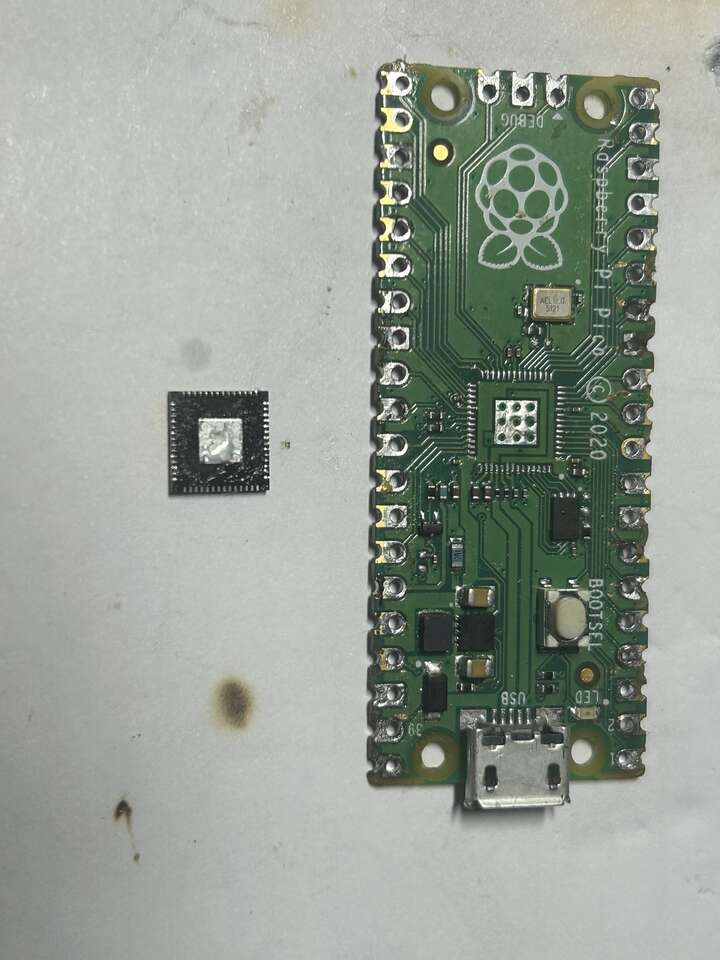
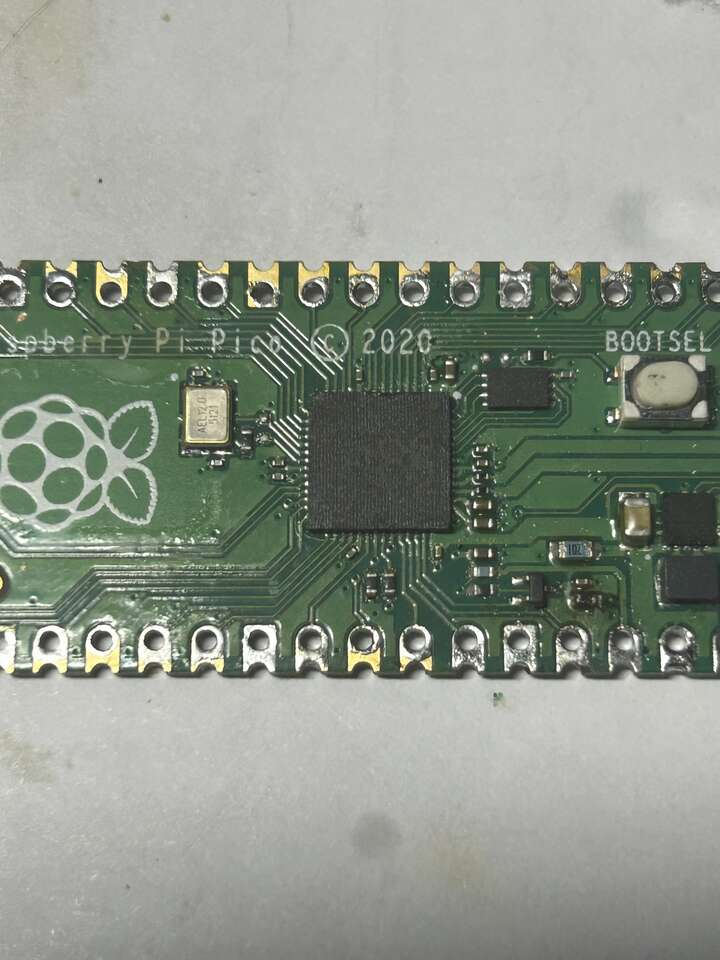
Perform a thorough visual inspection of the PCB for any obvious signs of damage, such as burn marks, solder bridges, or excessive flux residue.
Missing Components
Consult your system’s documentation, maybe a component is missing?
For the Raspberry Pi Pico, you can find the datasheet here.
Pro Tip Raspberry Pi keeps their documentation in here.
Damaged Components
A reliable diagnostic method is to use a multimeter to measure the resistance between specific nodes, mainly those on the power rails.
Extremely low resistance values typically indicate a short circuit.
For both of the tests mentioned above, having a second, working board makes life much easier. Even if the resistance doesn’t seem alarmingly low, a significant deviation from a working unit is a red flag.
In my case, I identified a problem with my Raspberry Pi Pico at this stage. For some reason, R5 resistor was missing. I identified the resistance value from the schematic and soldered a replacement.
Faulty Soldering?
If you are soldering pin headers yourself, I recommend checking adjacent pins using the multimeter’s continuity test mode.
On the RPi Pico, pay close attention to the RUN pin, if it is shorted to GND, the RP2040 will reboot constantly.
Current Draw Test
If the board is running hot, it is likely drawing enormous current. This needs to be verified.
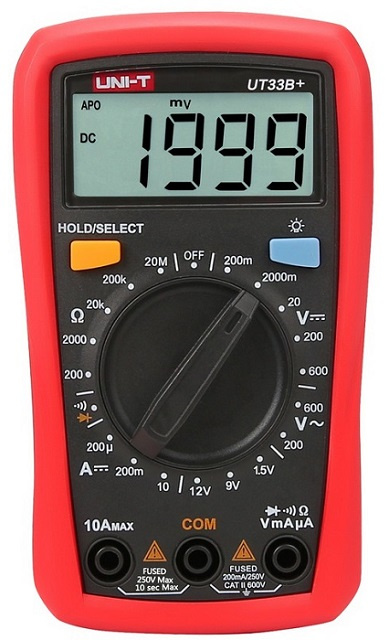
In the event of a short, the current can be significant. Connect one probe to the 10A input and the other to COM (the standard configuration for most multimeters).
Set the dial to the 10A range and connect the meter in series with the board.
If you don’t have a bench power supply, you can use another dev board as a power source. Tapping into a USB power line for this measurement can be hard.
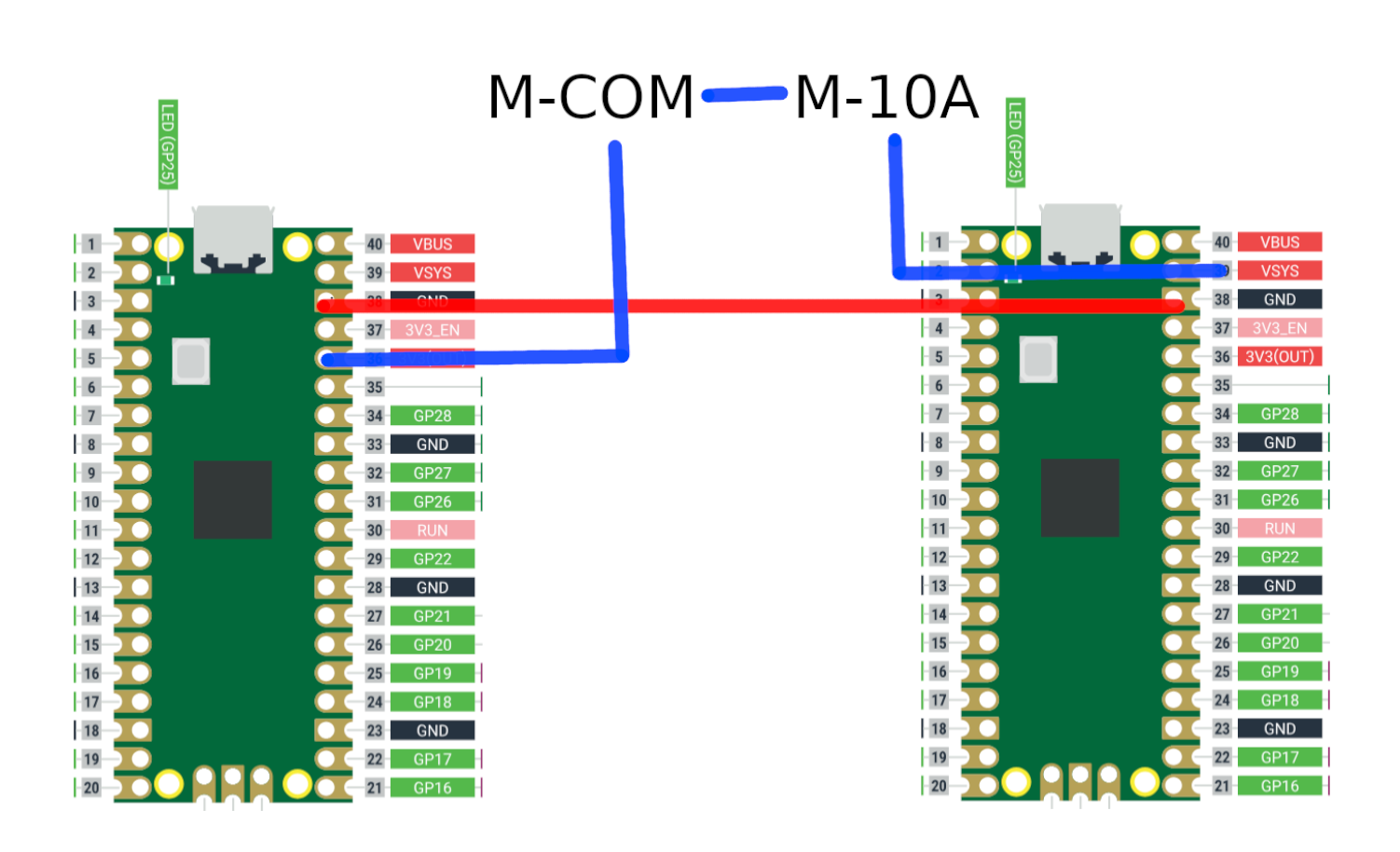
Current draws in the range of 0.5A are highly suspicious for microcontrollers like the Raspberry Pi Pico.
Resistance Testing
Begin by taking measurements relative to GND. On the Raspberry Pi Pico, check the VSYS, VBUS, and 3.3V rails.
In my case, the resistance on the main rails was higher than on a working board (around 10kΩ), which is generally a good sign. However, the 3.3V out pin showed a resistance of approximately 20Ω. Conclusion? The MCU is internally damaged. Without a spare RP2040, the repair is not worth it.
MCU Replacement
I set my hot-air station to approximately 450°C, apply flux, and heat the chip evenly until the RP2040 can be safely lifted.
Immediately afterward, I position the replacement RP2040 and move it slightly until surface tension causes it to self-align (with some packages it’s visible).
It is possible to perform this without adding new solder if enough remains on the pads after desoldering. If not, remove the old solder using a wick and apply fresh solder paste.